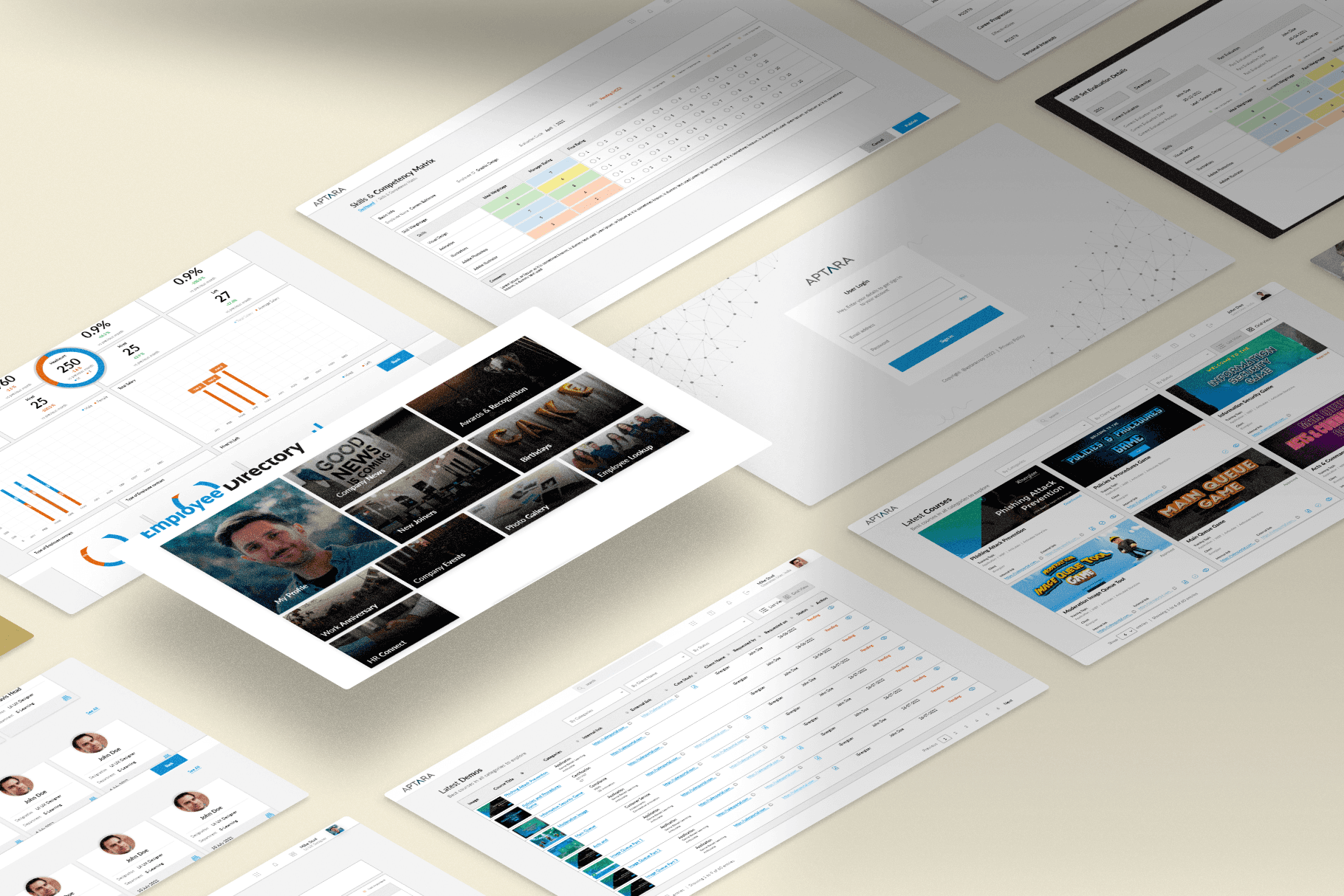
Scroll down to discover the engaging UI/UX design elements crafted for this project.
Scroll Down
At a Glance
I worked as a UI/UX designer for an e-learning services company, where I focused on developing in-house products. My responsibilities included designing web applications for employee management, sales management, and finance management. I improved HR processes with user-friendly interfaces for employee management, created dashboards for tracking sales metrics and managing customer relationships in sales management, and designed efficient layouts for budgeting, invoicing, and financial reporting in finance management. My designs enhanced usability, accessibility, and user satisfaction, ultimately boosting overall productivity.
Timeline
12 Months
My Role
Collaboration
Sales Team
Management Team
Development Team
Business Team
Graphic Team
Platform
Adobe XD
FigJam
Photoshop
Illustrator
HTML
The project is an ongoing effort that commenced in June 2021. I worked at Aptara for this project for 12 months (March 2022–March 2023), during which I conducted user research and built a sitemap for the entire application, along with wireframes for 15-20 pages.
What does Aptara do?
Serving the ten largest publishers in the world and Fortune 500 companies, Aptara’s full-service content production accelerates information providers’ transition from print to digital. From creation and design to new media enhancements and output for all digital devices and platforms – Aptara functions on the ‘I SEE’ principle.
Why is a company Employee Management Hub important?
These applications are crucial for the company as they greatly boost efficiency and productivity in important business areas. The employee management app simplifies HR tasks, freeing up time for strategic planning. The sales management app offers real-time data for informed decision-making and quicker deal closures. The finance management app automates financial processes, reducing errors and ensuring timely reports. By consolidating data, these apps enhance decision-making, user experience, collaboration, compliance, and aid in the company's growth and cost-saving efforts.
Brief
Aptara has an up-and-running web application with approximately 50 pages. The navigation bar allows the user to choose and redirect to a desired page. The decision to redesign was based on a need to align the website with the company as an established business.
Design Process
The project needed extensive research to understand the different kinds of users, competitive audits, and what users want to see on a company's website.
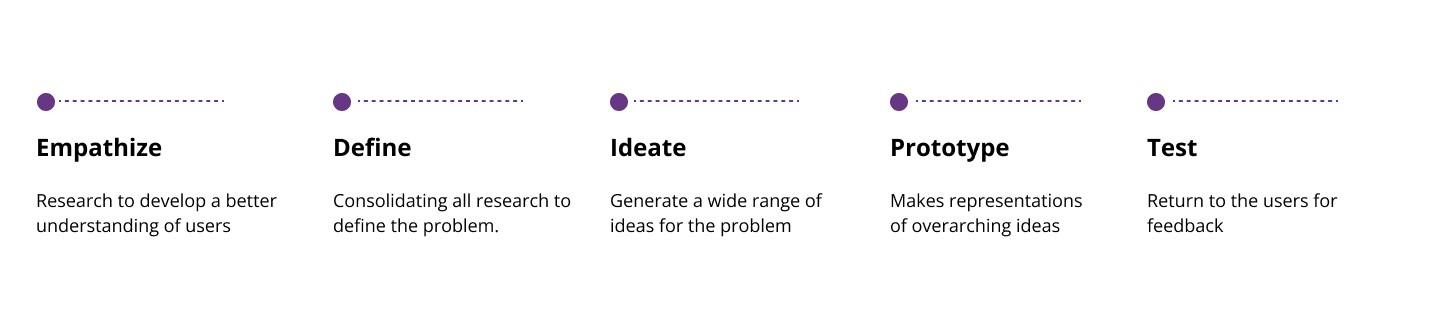
I conducted extensive research to assess the current state of the website. This process allowed me to question the need for certain sections or data presented on the website. It was important to retain certain data and omit the rest, which was finalized and discussed with senior executives, who interacted with various site users in the real world.
Project Goals
Enhance User Navigation and Accessibility
Increase Operational Efficiency
Enhance Data Accuracy and Centralization
Facilitate Better Decision-Making
Ensure Compliance and Security
Project Constraints
Time Constraints
Resource Availability
Technical Limitations
Stakeholder Requirements
Budget Limitations
Project Assumptions
User Adoption and Training
Data Integration
Budget and Timeline
Technical Infrastructure
Stakeholder Engagement
Success Criteria
User Satisfaction
Operational Efficiency
Data Accuracy and Accessibility
Compliance and Security
Adoption Rate
Deliverables
User Interface Designs
Functional Prototypes
User Training Materials
Testing and Quality Assurance Reports
Data Migration Plan
Project Phases
Initiation and Planning
Research and Design
Development and Implementation
Testing and Quality Assurance
Deployment and Maintenance
Primary Research
This phase allowed me to create a strong foundation for my design strategy. Each decision made in the following months was backed by data collected during this phase.
Since the company and its leadership knew what they wished to present, I adopted secondary research methodologies. This included a competitive research audit, a number of collaborative calls with senior executives, and thorough research to understand different user profiles. Another important aspect that was discussed was cleaning up the information architecture.

Saurabh
Male
40 years
Project Manager, Software Company
Bachelor's degree in Business Administration
Pune, India
Highly proficient with advanced software tools and platforms
Bio
Saurabh has 15 years of experience managing projects, particularly in software development for medium to large businesses. He has effectively overseen diverse teams to deliver advanced IT solutions punctually and within the allocated budget.
Quote
Empowering users through intuitive design and seamless functionality—a web application that transforms complexity into simplicity, enhancing productivity and user satisfaction.
Goals
streamline operations across employee management, sales management, finance management, project management, and revenue reporting.
Improve team collaboration and productivity through centralized data and streamlined workflows.
Enhance decision-making with real-time analytics and reporting capabilities.
Needs
Clear project objectives and requirements to align team efforts and deliverables.
Seamless integration of functionalities to provide a cohesive user experience.
Support for training and onboarding users to ensure successful adoption of the new application.
Frustration
Complex Integration Challenges
Data Security Concerns
User Adoption and Training
Managing Scope Creep
Balancing Stakeholder Expectations
Motivations
Operational Efficiency
Data-Driven Decision Making
Improved Collaboration
Enhanced User Experience
Strategic Advantage
Key Features Desired
Employee Management
Sales Management
Finance Management
Project Management
Analytics and Reporting
Security and Compliance
Integration Capabilities
Mobile Accessibility
Ideation
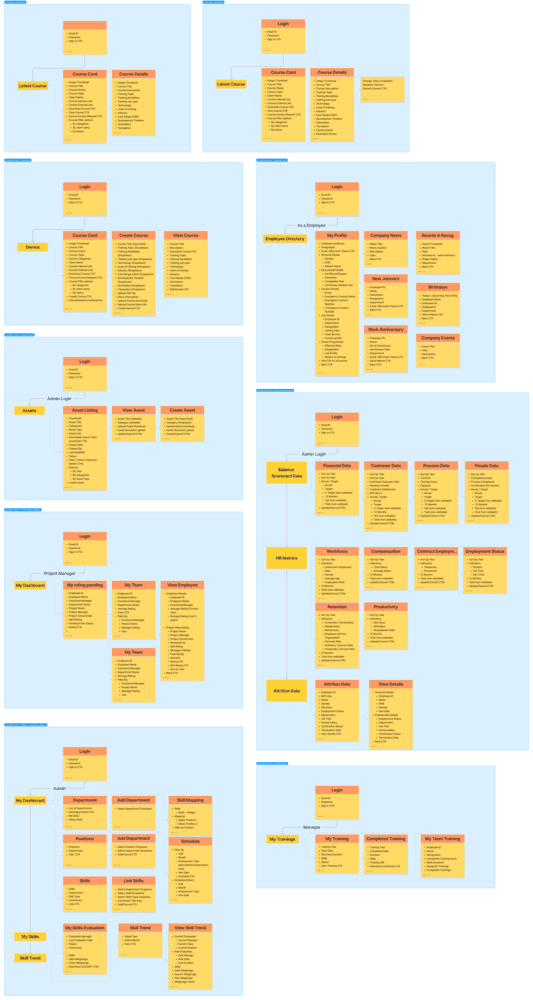
With the information collected and analyzed during phase 1, the next step was to build out a site map. A sitemap lists a website's most important pages, thus making sure search engines can find and crawl them. Sitemaps also help in understanding our website structure, making it easier for the user to navigate through our website. While the former allows for better SEO performance, the latter provides a better user experience.
The site map was designed to list the different types of pages, as well as the content present on each page. Then Corss referenced it with each user persona to understand if the pain points were addressed correctly. This iteration facilitated improving the structure of each page, making the design more intuitive.
User Flow
I used information architecture to plan how Saurabh would navigate through the Aptara Employee Hub.
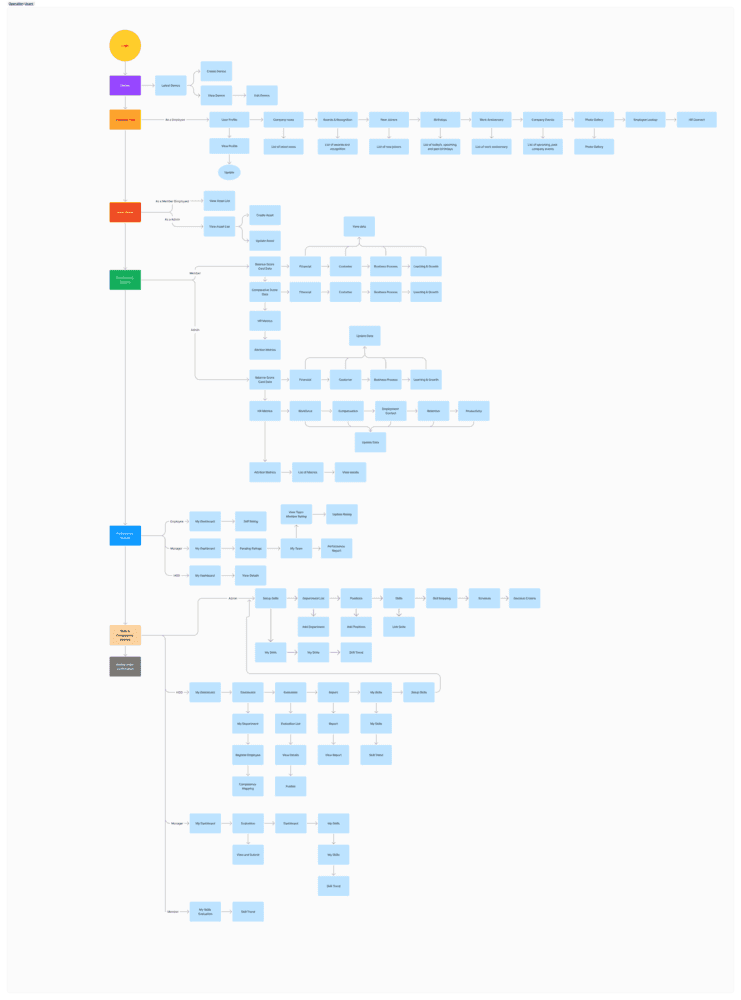
Information Architecture
We have defined the structure for users to navigate the app and access features to reach their goals.
Our Solution
Aptara Employee Hub
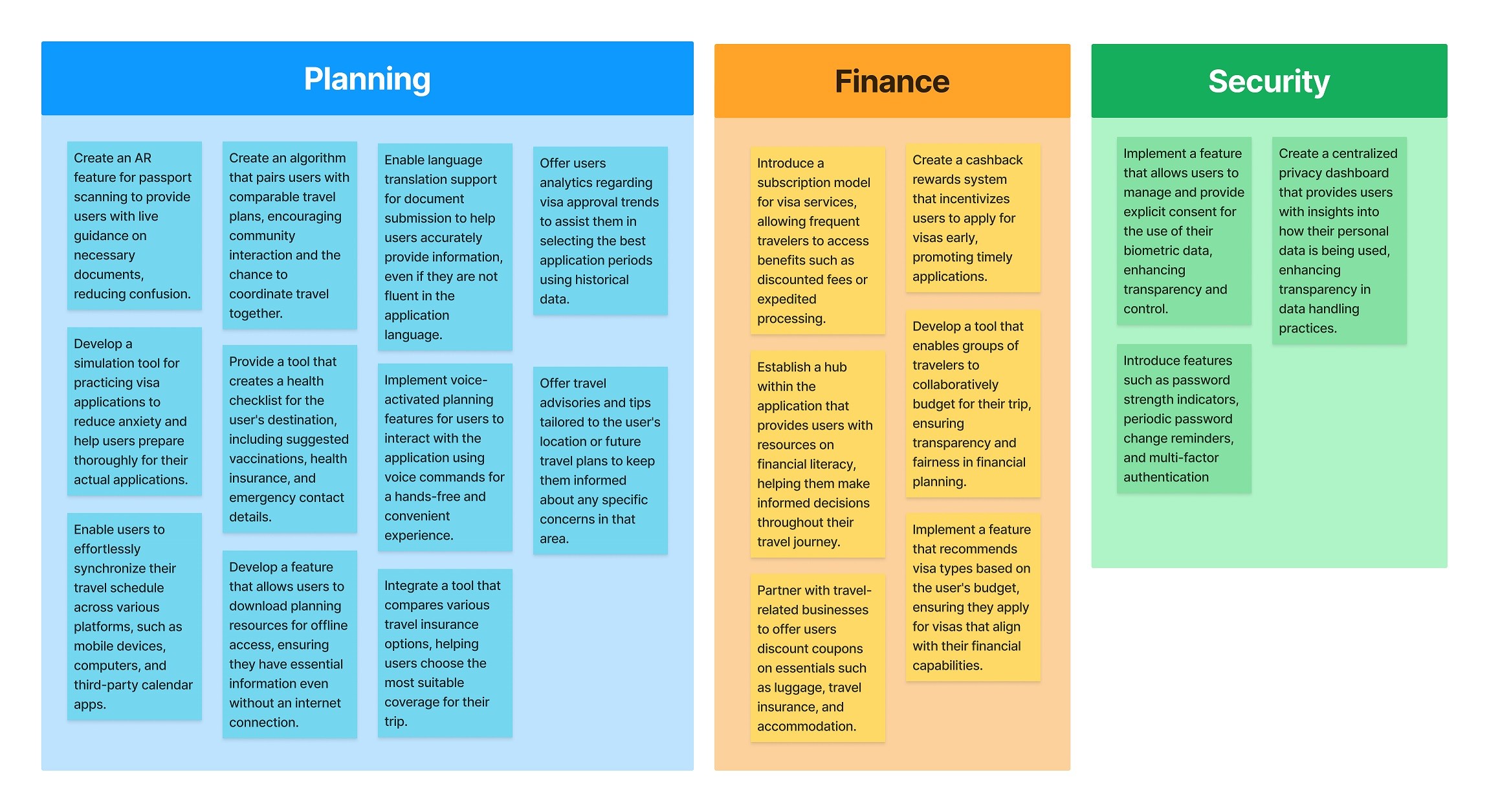
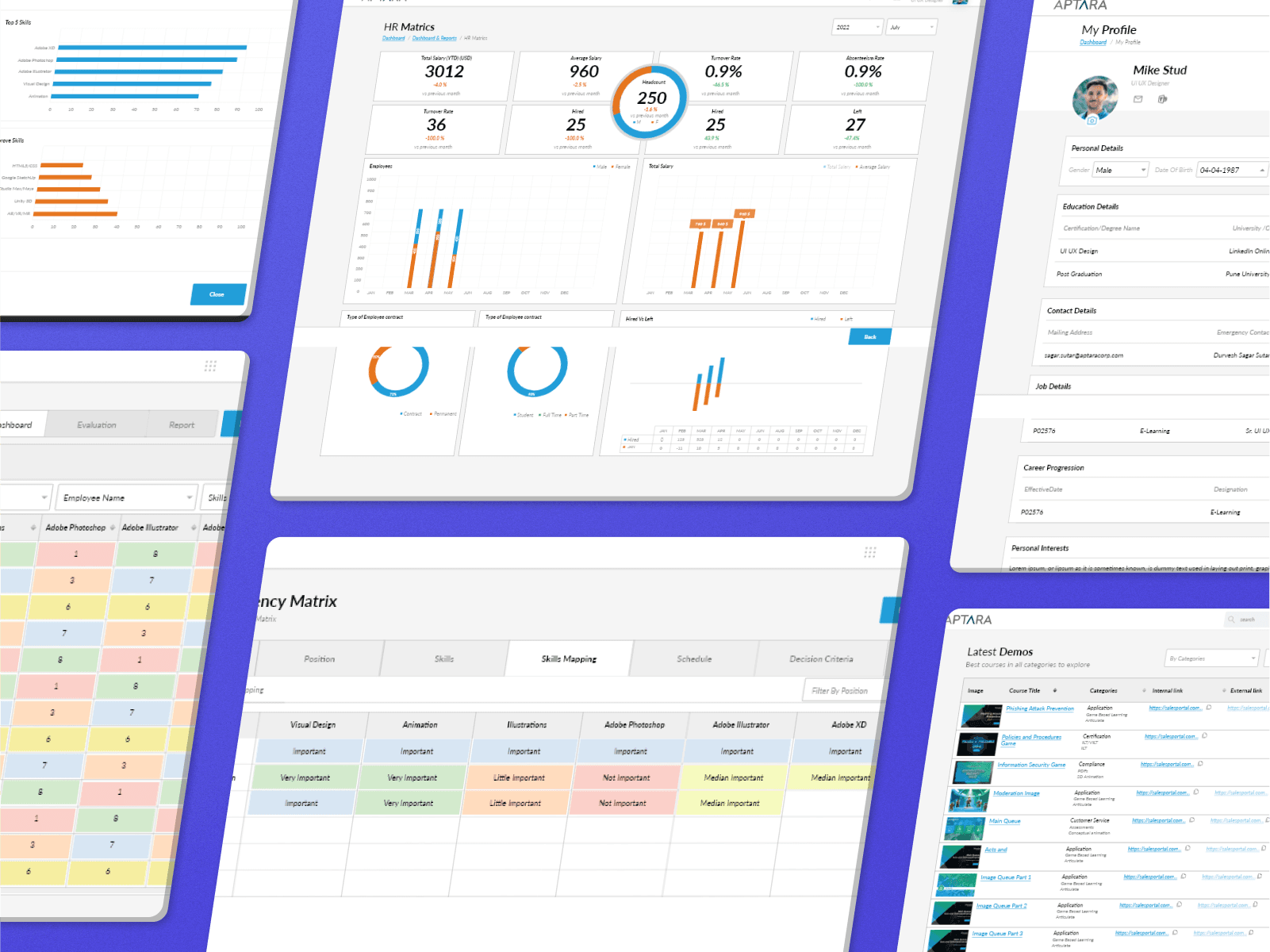
Creating user-centered interfaces for an e-learning IT company's web applications involves developing solutions that make the applications easier to use, simplify processes, and increase user satisfaction. The goal is to meet the unique requirements of employees, sales teams, and finance departments, providing a seamless and user-friendly experience.
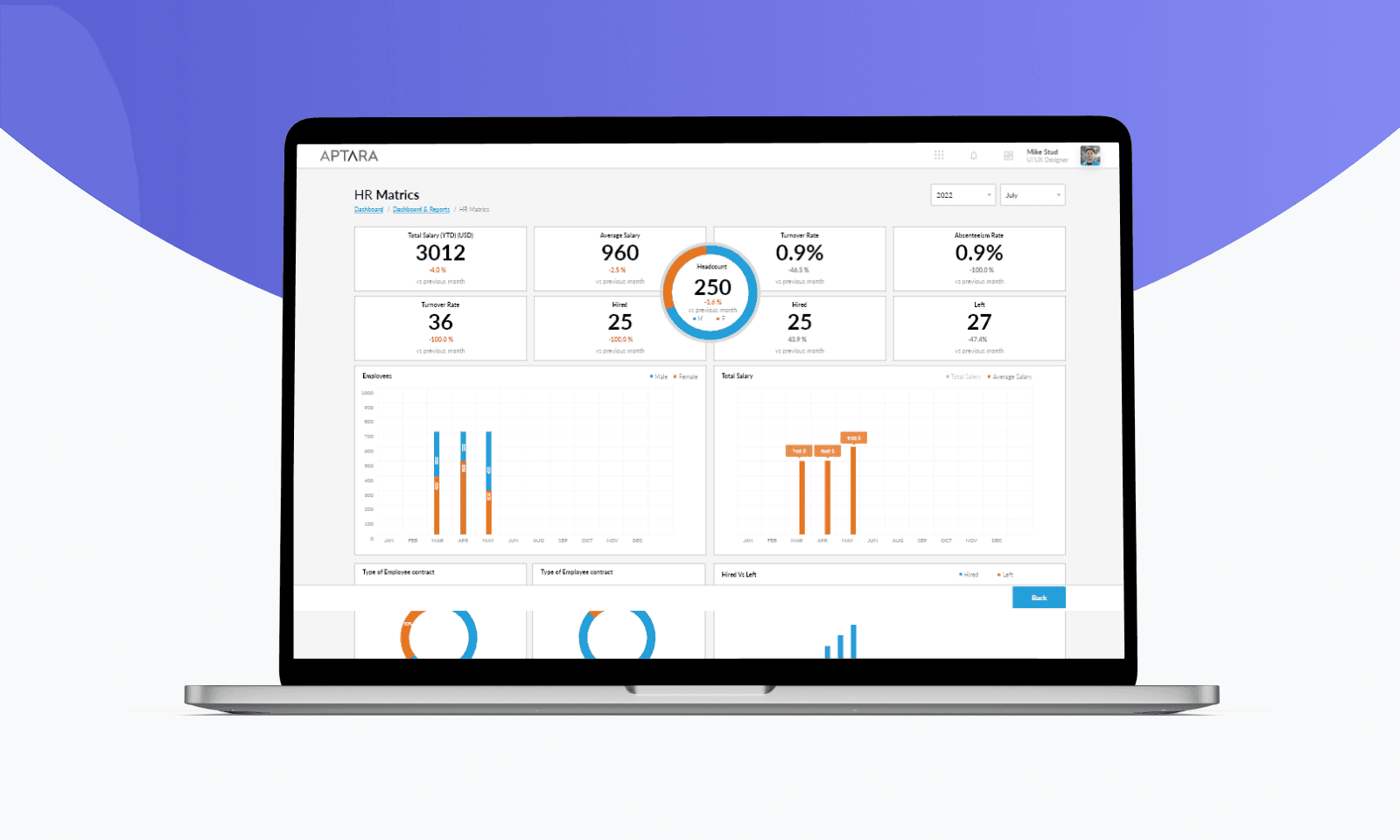
Desktop Mockups
Basically, we followed Bootstrap design guidelines and designed and developed website.
What I learned
Designing and developing this website taught me the importance of user-centered design, emphasizing the need to prioritize end-users' needs and behaviors to create intuitive and effective solutions. Detailed planning and research, including stakeholder interviews and competitive analysis, proved essential for making informed design decisions. Effective communication and collaboration with stakeholders and team members ensured alignment and smooth project progression.
Implementing mobile-first and responsive design techniques was crucial for providing a seamless experience across all devices. Incorporating interactive features like live chat and interactive demos significantly enhanced user engagement and retention. Balancing aesthetics with usability ensured the website was both visually appealing and user-friendly.
© Sagar Sutar 2023
sagar.webxperts@gmail.com
+91 8007102187